Product
For people running several projects, PaxHelm brings tasks, calendar, mail, notes, reminders and follow-ups into one daily view. Your tools keep doing what they do best. Context and next actions stay in sight.
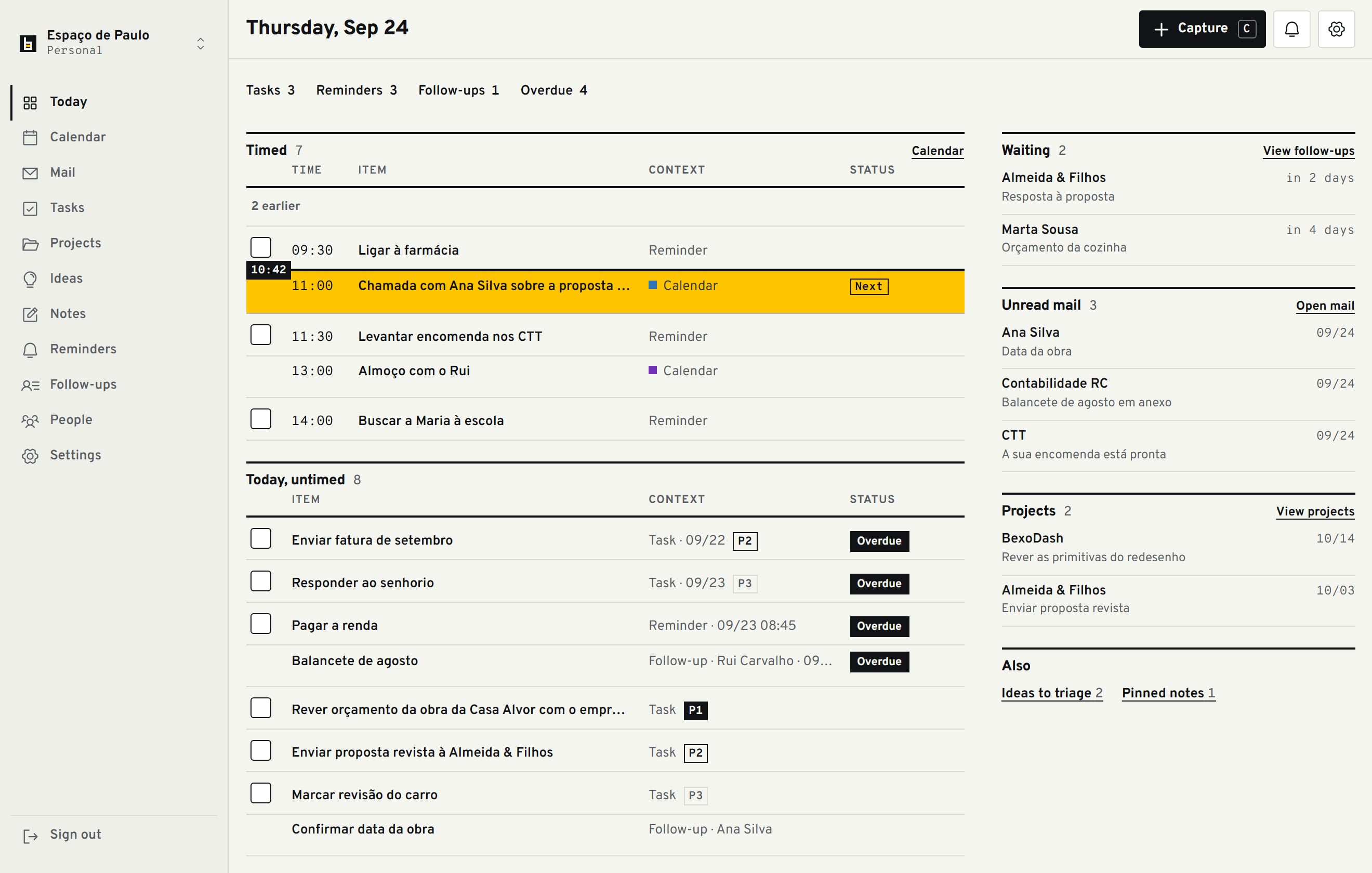
One day you can read at a glance.
See timed commitments, tasks, reminders, follow-ups, unread mail and project next actions in the order they need attention. Capture what comes up, then get back to work.
Capture it now. Organise it when it makes sense.
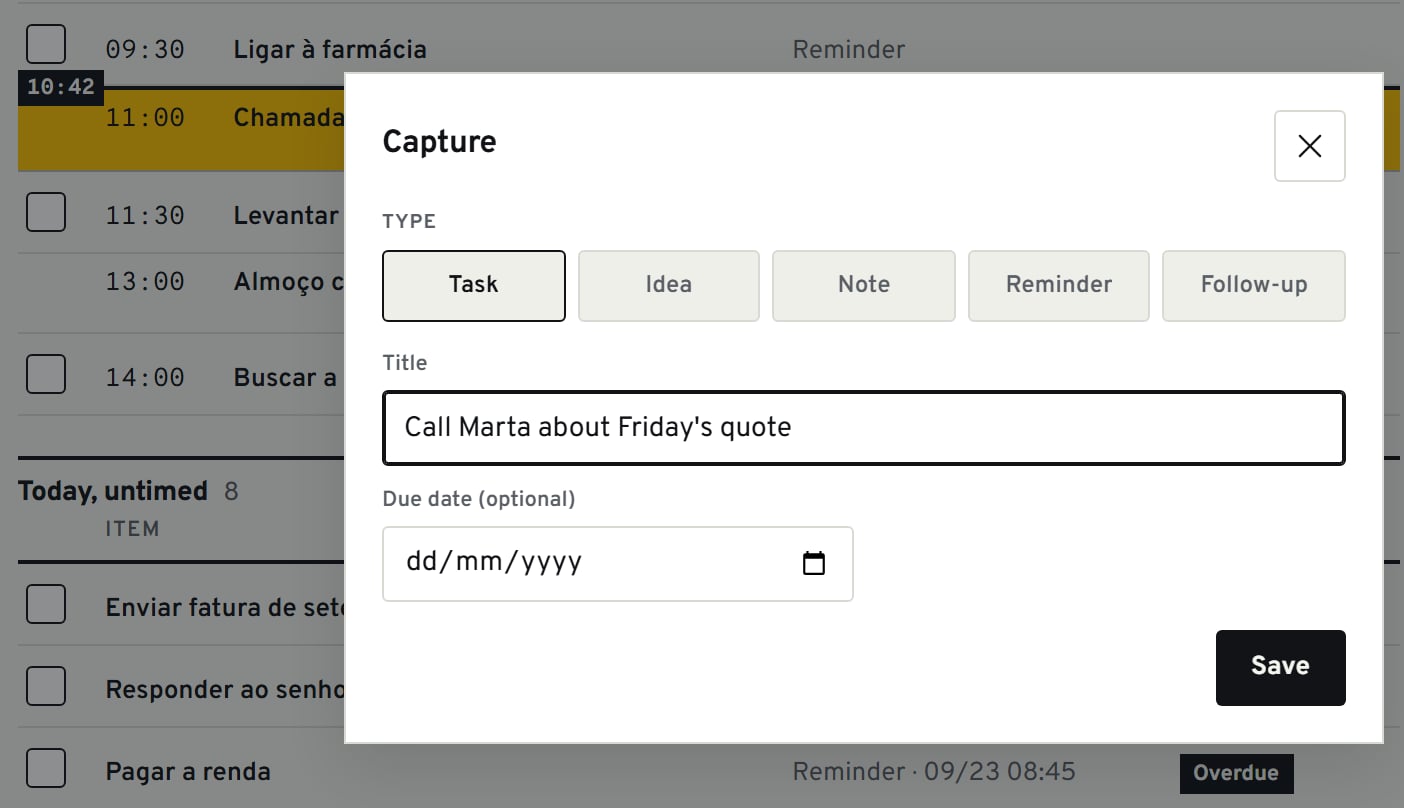
Save a call to make, an idea or a client request on your computer or iPhone. Choose task, idea, note, reminder or follow-up. The due date is optional.
On a computer, press C.
Your tools remain the systems of record.
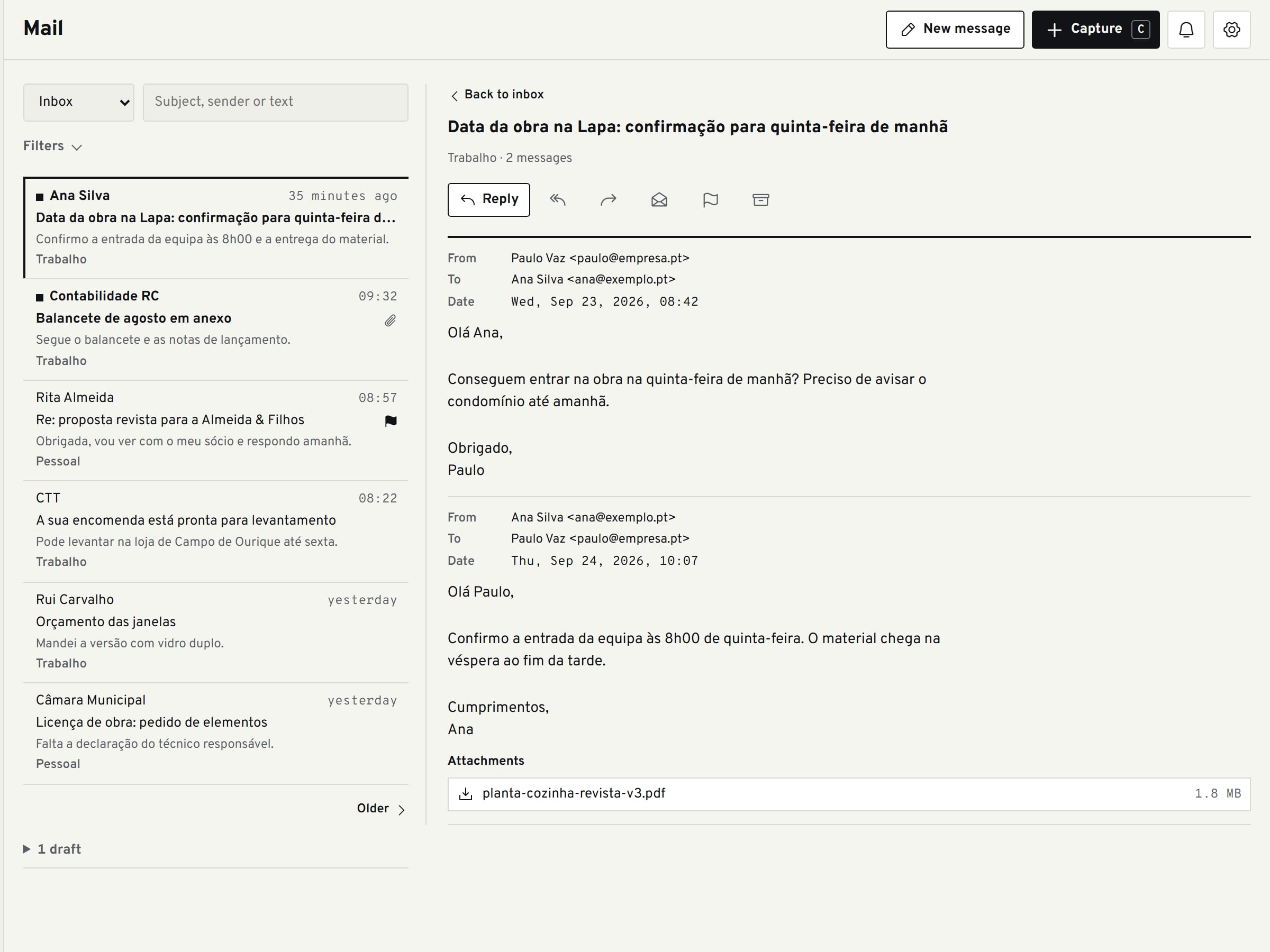
Connect Outlook and Microsoft 365, Gmail or any IMAP account. Mail and calendar stay in those accounts; long-form notes stay in Obsidian. PaxHelm brings what needs attention together and keeps next actions in the same context.
Sending an email always asks for your confirmation.
The dedicated plugin keeps Obsidian notes synced both ways.
Know who you're waiting on.
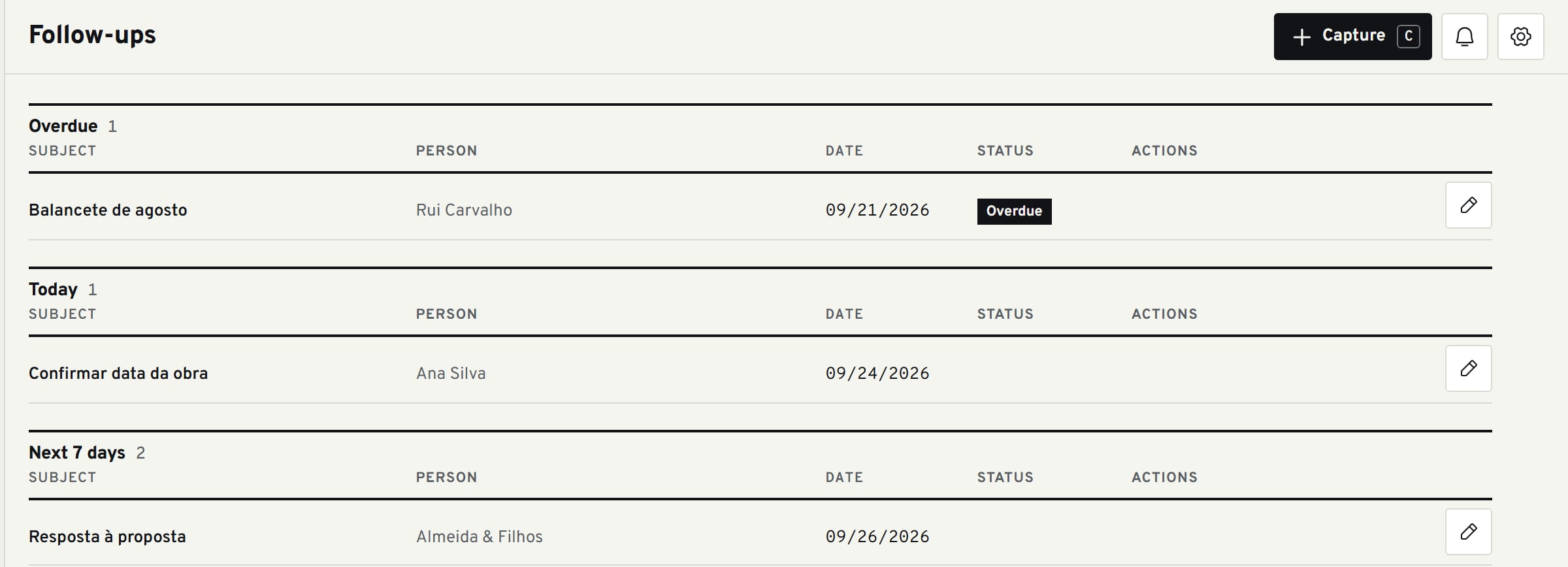
Each follow-up keeps the subject, person and date. When the reply does not arrive, it moves to Overdue. The conversation stays connected to the next action.